Model buildable details, not abstract intent
Organize assemblies, components, and references into clear BIM-ready details that move beyond flat markups.

Hosted supplier detail libraries
BIM Detail
BIM Detail gives suppliers a public detail library, a full viewer, and an embeddable widget for their own website without forcing teams back into static PDF handoffs.
Featured detail
This mini viewer runs the same runtime as the full BIM Detail viewer, but with a lighter control set so suppliers and architects can understand the detail without leaving the page.
Live product proof
A curated library of representative building assemblies used to demonstrate BIM Detailer’s modelling workflow, construction sequencing, and documentation features.
Play the sequence, inspect the geometry, then open the full viewer to explore metadata, workflow context, and the supporting publication record.
Supplier branding flows through the gallery, detail page, viewer, and widget so the public library feels like a product, not a placeholder demo.
Inline viewer
Parapet to Wall Termination
3D viewer ready to load
This inline surface runs the same scene runtime as the dedicated viewer, with a lighter control set for quick inspection.
What the platform changes
BIM Detail keeps publishing, review, branding, and website distribution inside one product so suppliers can ship a credible technical library without stitching together a custom viewer stack.
Organize assemblies, components, and references into clear BIM-ready details that move beyond flat markups.
Use assembly timelines to explain what happens first, what changes next, and what a final condition should look like.
Publish details into a public-facing viewer workflow so architects, builders, and manufacturers can review the same model context.
Standardize repeatable systems, manufacturer-specific conditions, and common build sequences without recreating every scene from scratch.
Workflow
The workflow is strongest when one detail moves from active modeling to supplier-branded publication, then out to the public gallery and an embeddable website widget without losing the technical story.
Start from a detail need, compose the assembly, and isolate the geometry that actually matters to the field condition.
Capture key stages so teams can review installation order, dependencies, and final state without guesswork.
Share a cleaner public-facing model experience for coordination, design review, manufacturer support, or constructability conversation.
Published examples
Each publication keeps the model, the sequence context, and the review surface aligned so a detail can be inspected instead of merely described.
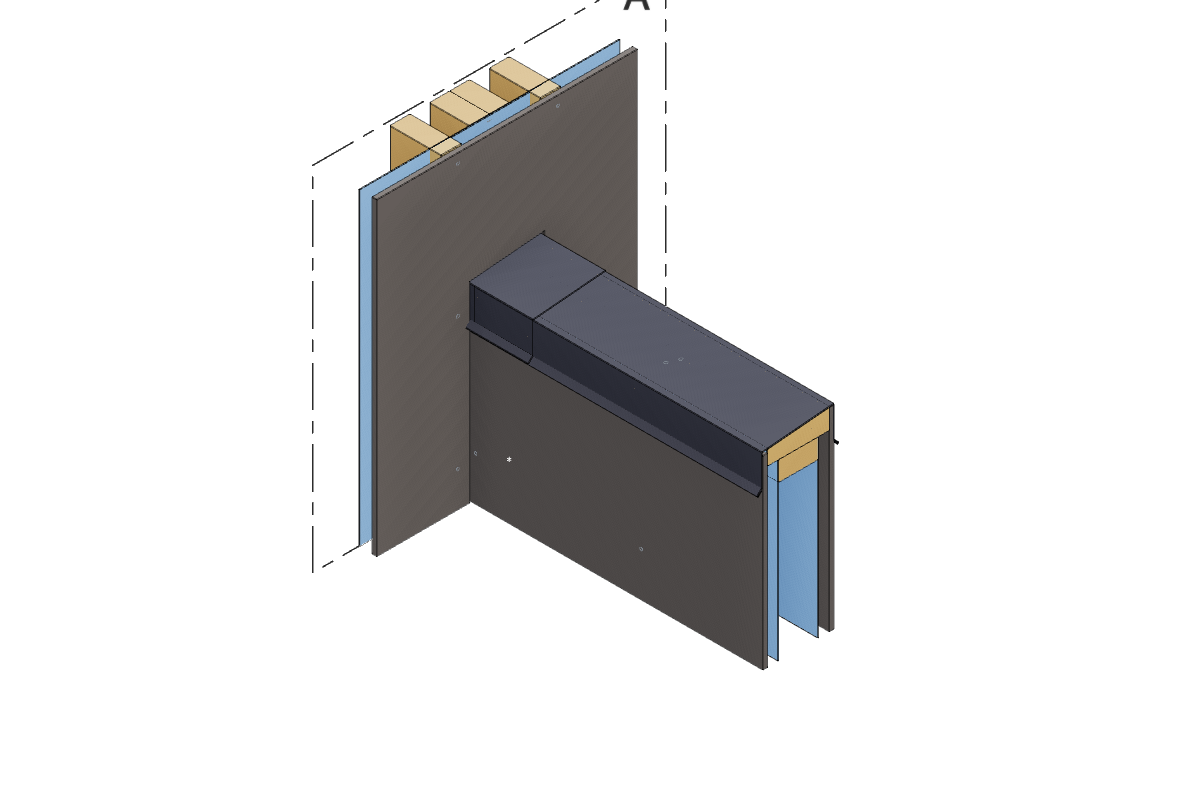
Publication
3D viewer ready
Generic · Published by Jesse Dombowsky
A curated library of representative building assemblies used to demonstrate BIM Detailer’s modelling workflow, construction sequencing, and documentation features.
FAQ
Short answers for visitors evaluating whether BIM Detail fits the way they create, coordinate, and publish construction details.
No. The product focus is construction-detail communication: assemblies, conditions, sequencing, and shared review, not whole-building authoring.
It is designed for teams evaluating the platform, browsing example details, and requesting a working demo or conversation.
Yes. A core product direction is publishing a detail into a lighter review workflow so non-editing stakeholders can inspect the same condition.
Yes. Reusable components and standardized systems are a stated long-term fit for the platform.
Next step
Tell us what kinds of details your team needs to model, review, sequence, or publish. We will tailor the conversation around those workflows.